

Exporting a List of Your Invoices

May 15, 2026
2443

Need to download your statements for bookkeeping or record-keeping? You can export them directly from the Invoices page in just a few steps.
How to export your statements
- Log in to the Treyd platform and go to Invoices.
Turn on Show closed invoices to include both open and closed invoices.
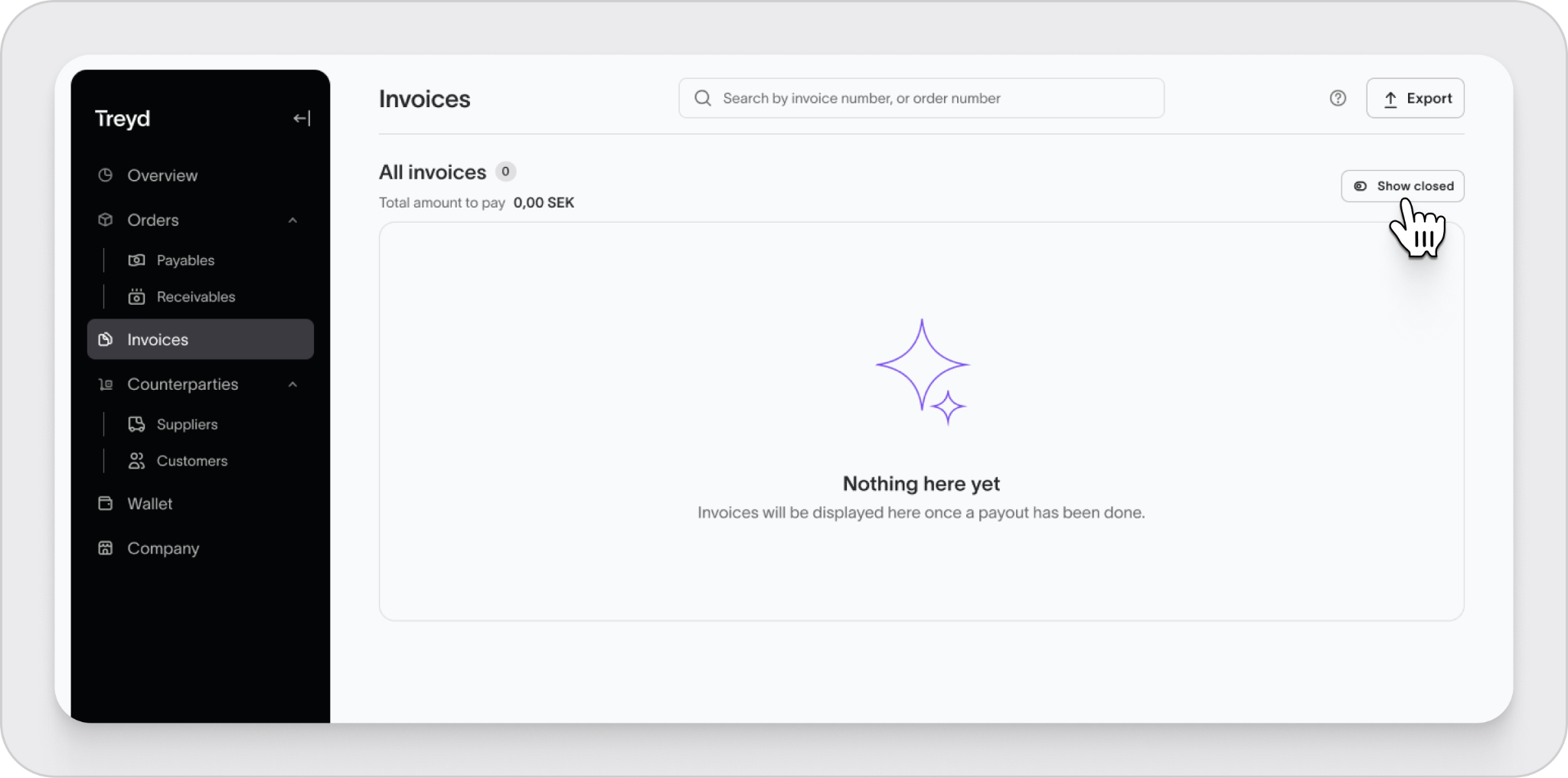
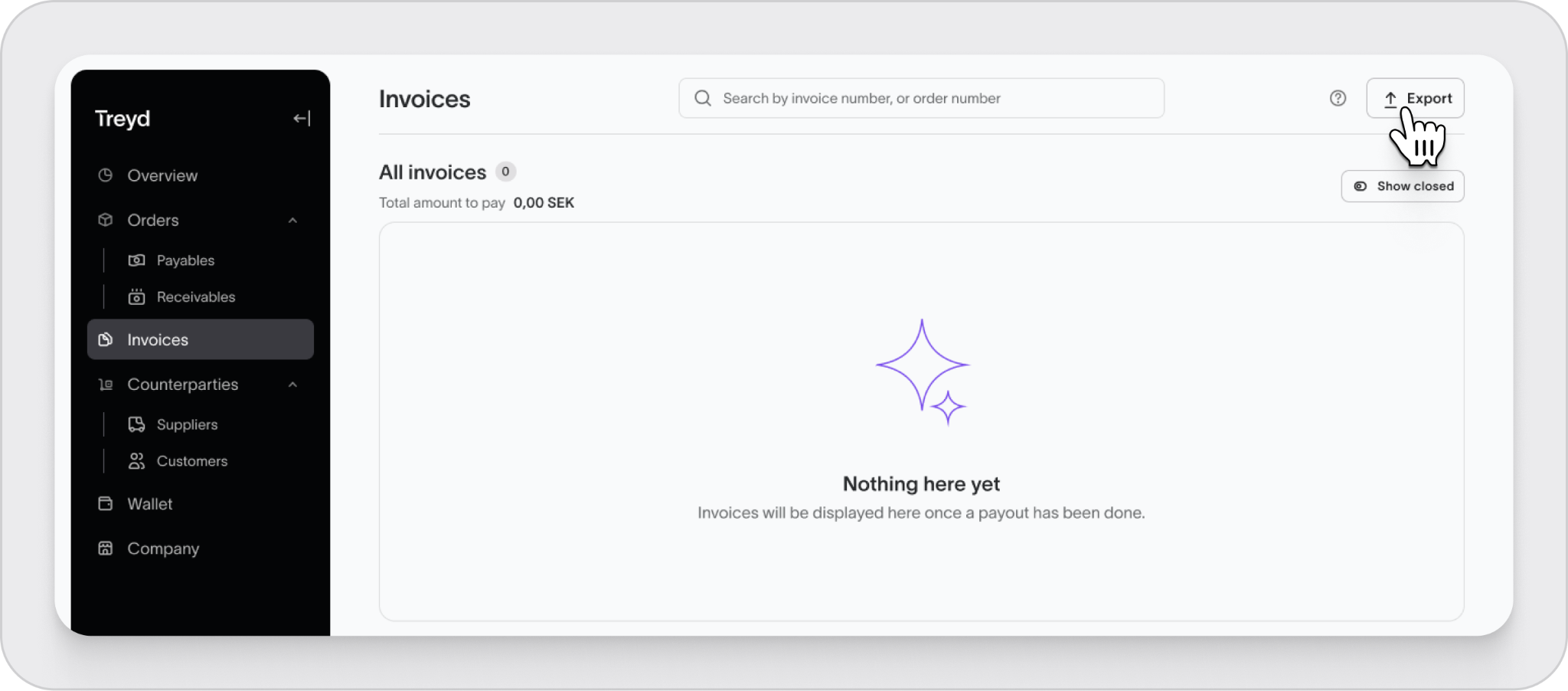
- Click Export in the top-right corner.
- Choose the date range and the invoices you want to include.
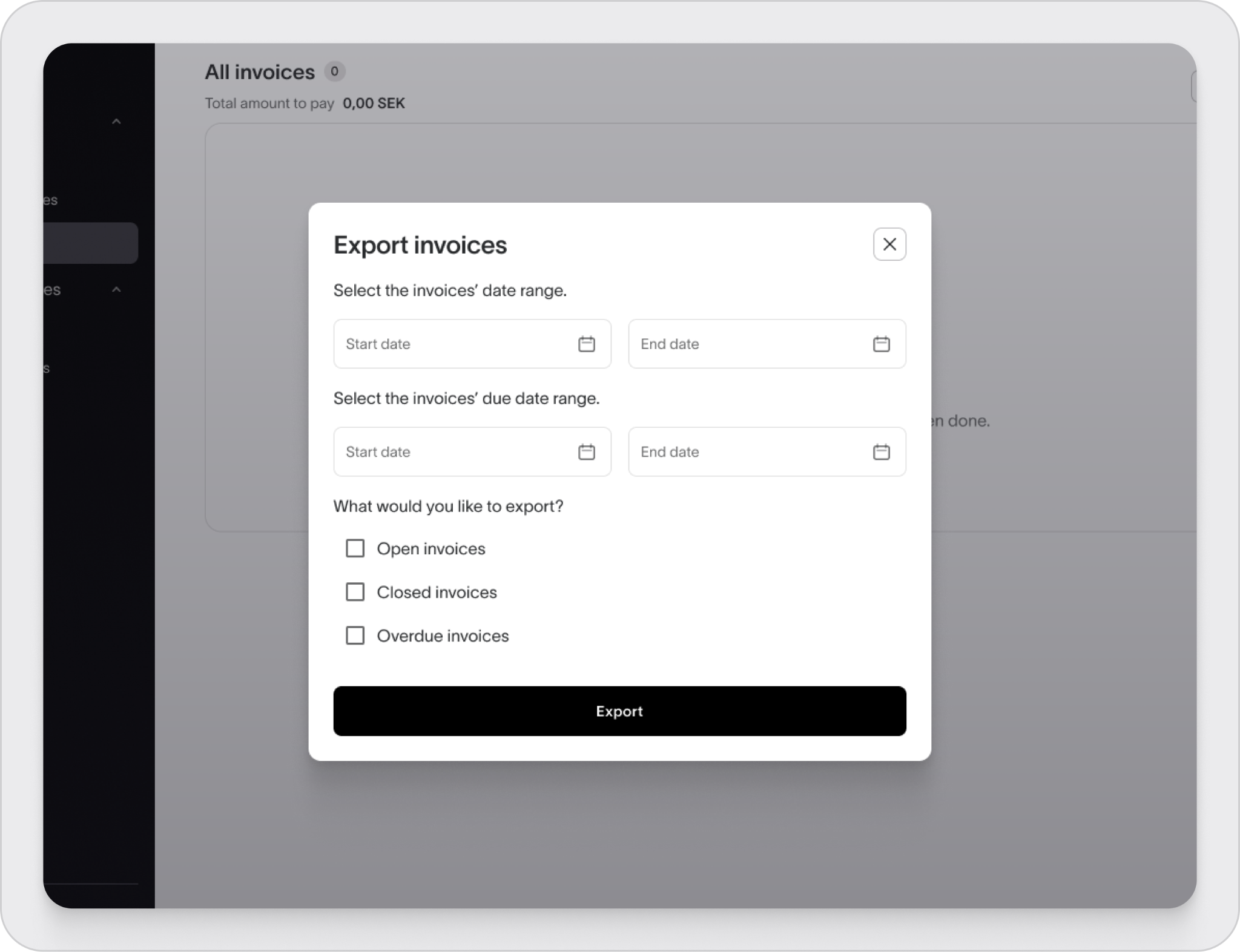
- Click Export again to download the file to your device.
Good to know
- You can use filters to narrow down which statements to export.
- Turning on Show closed invoices helps you get the full list.
Your statement list will be downloaded and ready whenever you need it.

