Withdrawing Funds from Your Treyd Wallet

May 15, 2026
3132

Need to move money from your Treyd Wallet to your bank account? You can do it directly on the platform in just a few steps.
How to withdraw funds
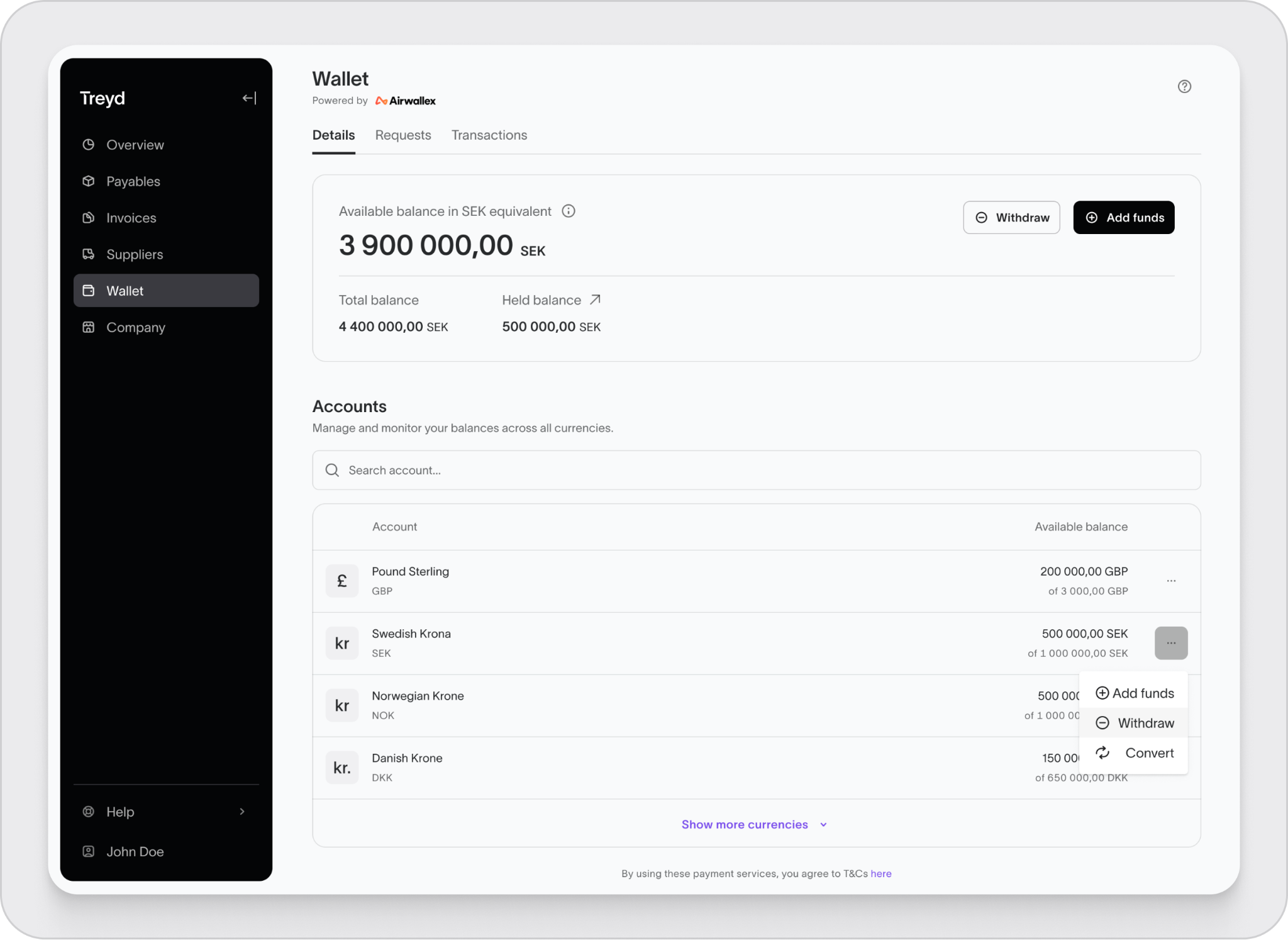
- Go to Wallet in the left-hand menu.
- Click Withdraw.
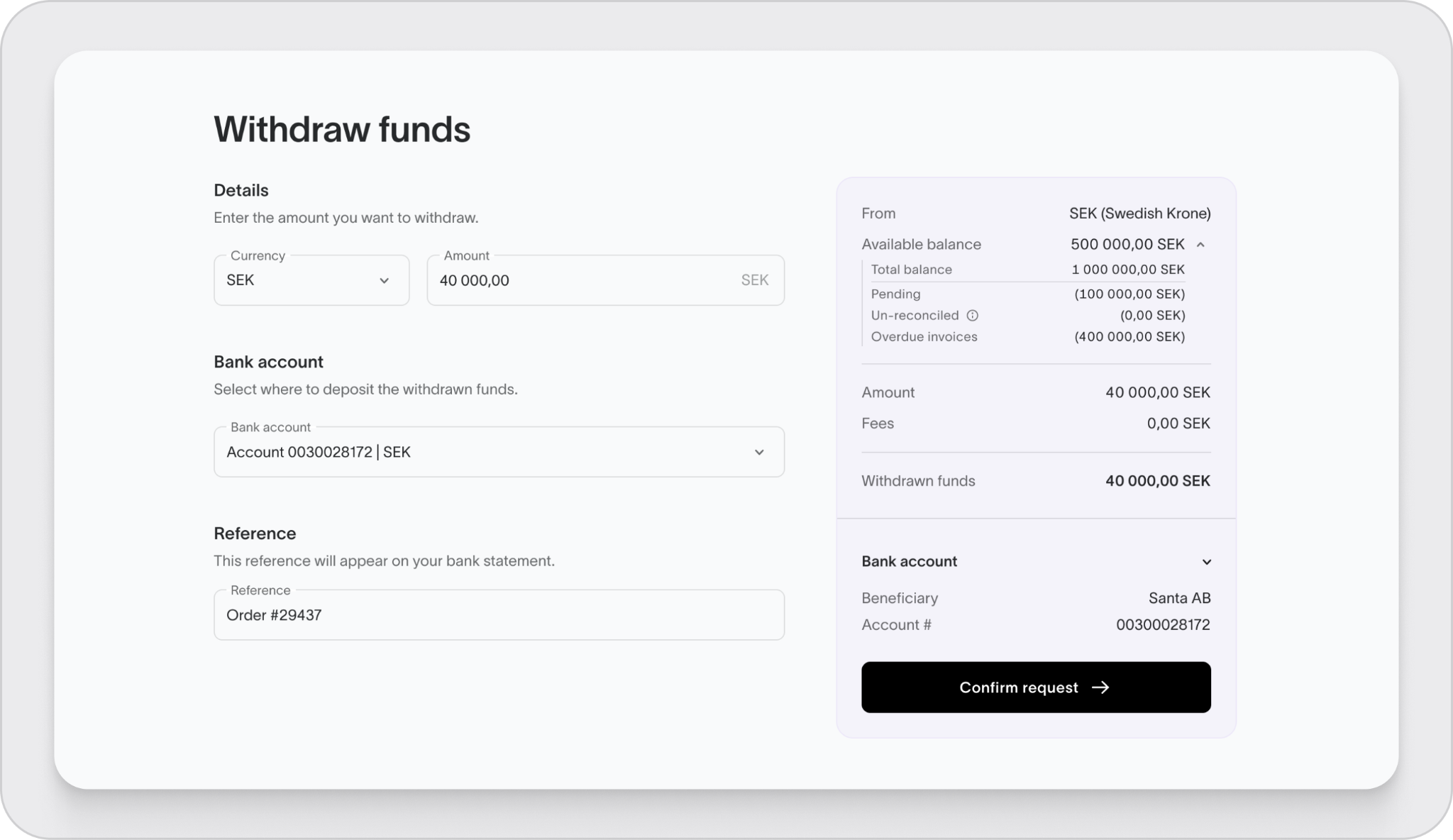
- Enter the currency and amount you want to withdraw.
- Select the bank account you’d like to send the funds to.
- Confirm the withdrawal.
Before you withdraw
To keep things running smoothly, make sure:
- You’re withdrawing in a currency where you have available funds
- You have a bank account set up in the same currency
For example, if you’re withdrawing EUR, you’ll need a EUR bank account added to your profile.
Need to convert currency first?
If your funds are in a different currency, you can convert them before withdrawing:
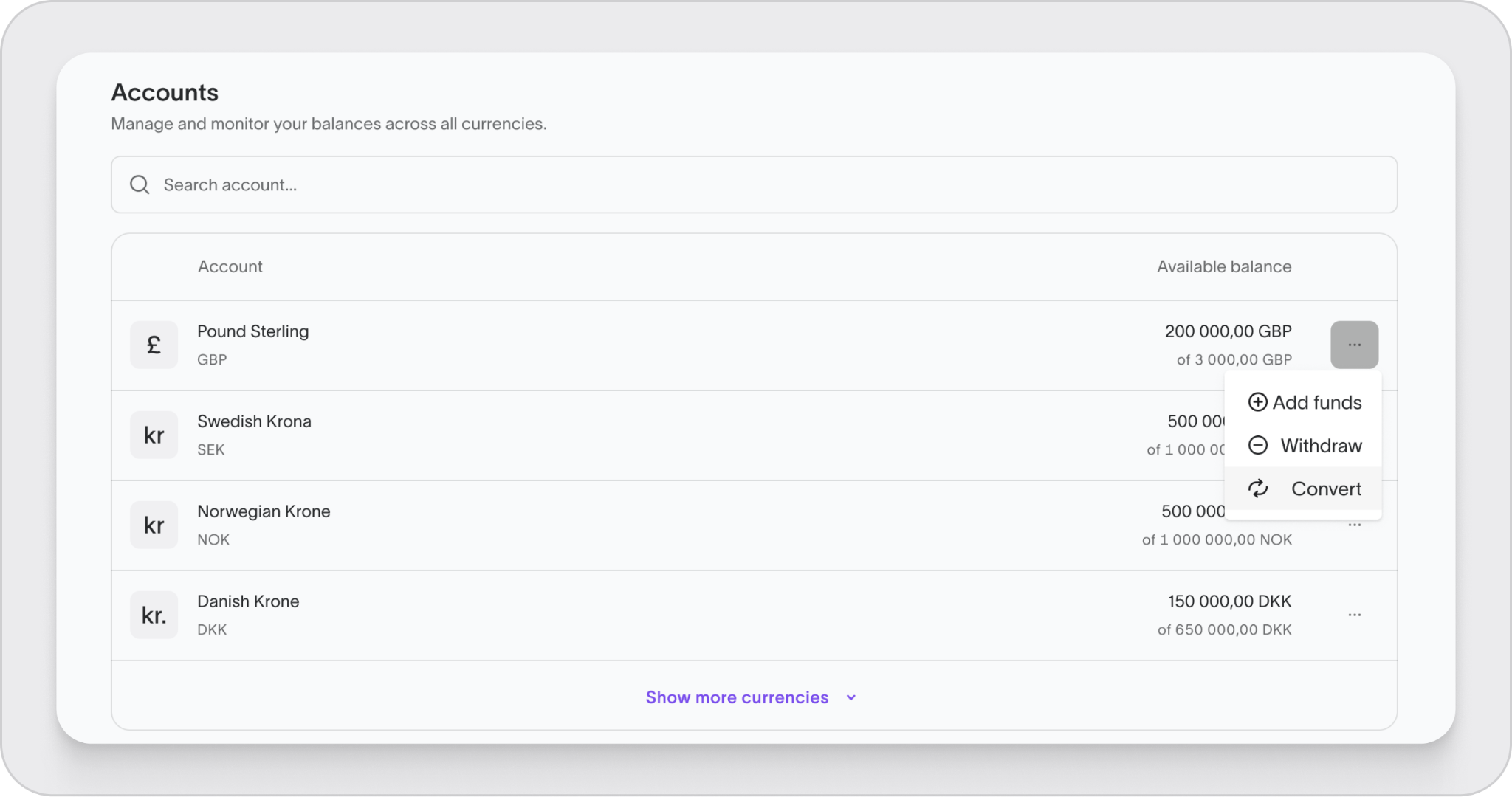
- Go to Balance breakdown
- Click the three dots next to the balance
- Select Convert
Your funds will be on their way once the withdrawal is confirmed.