


Looking for your Treyd Wallet bank details? You can find everything you need in just a few clicks—right inside your account.
How to find your wallet details
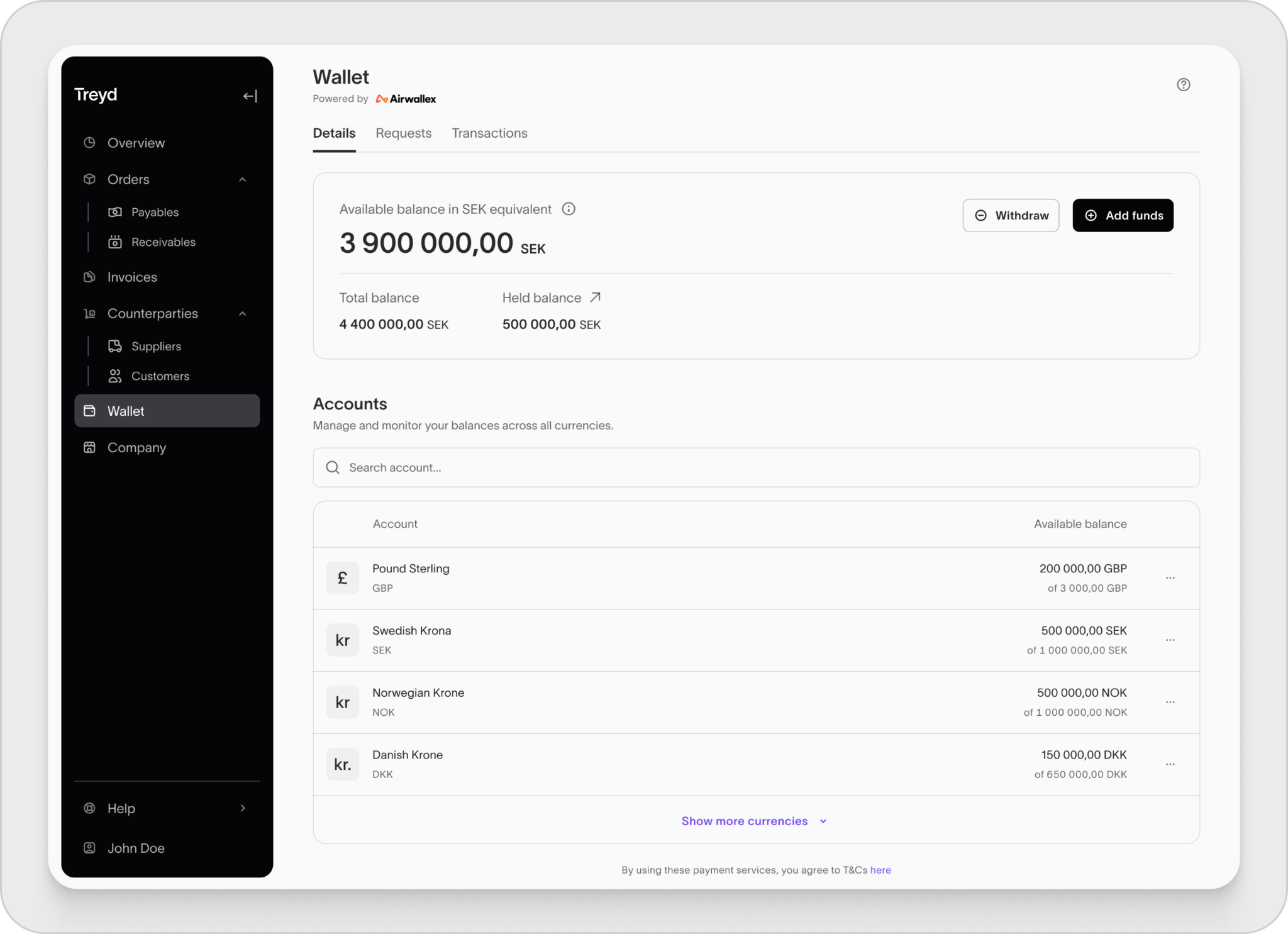
1. Go to your Wallet
Head to Wallet in the left-hand menu.
You’ll land on your wallet overview, where you can see:
- All your balances
- Your available currency accounts
2. Choose a currency
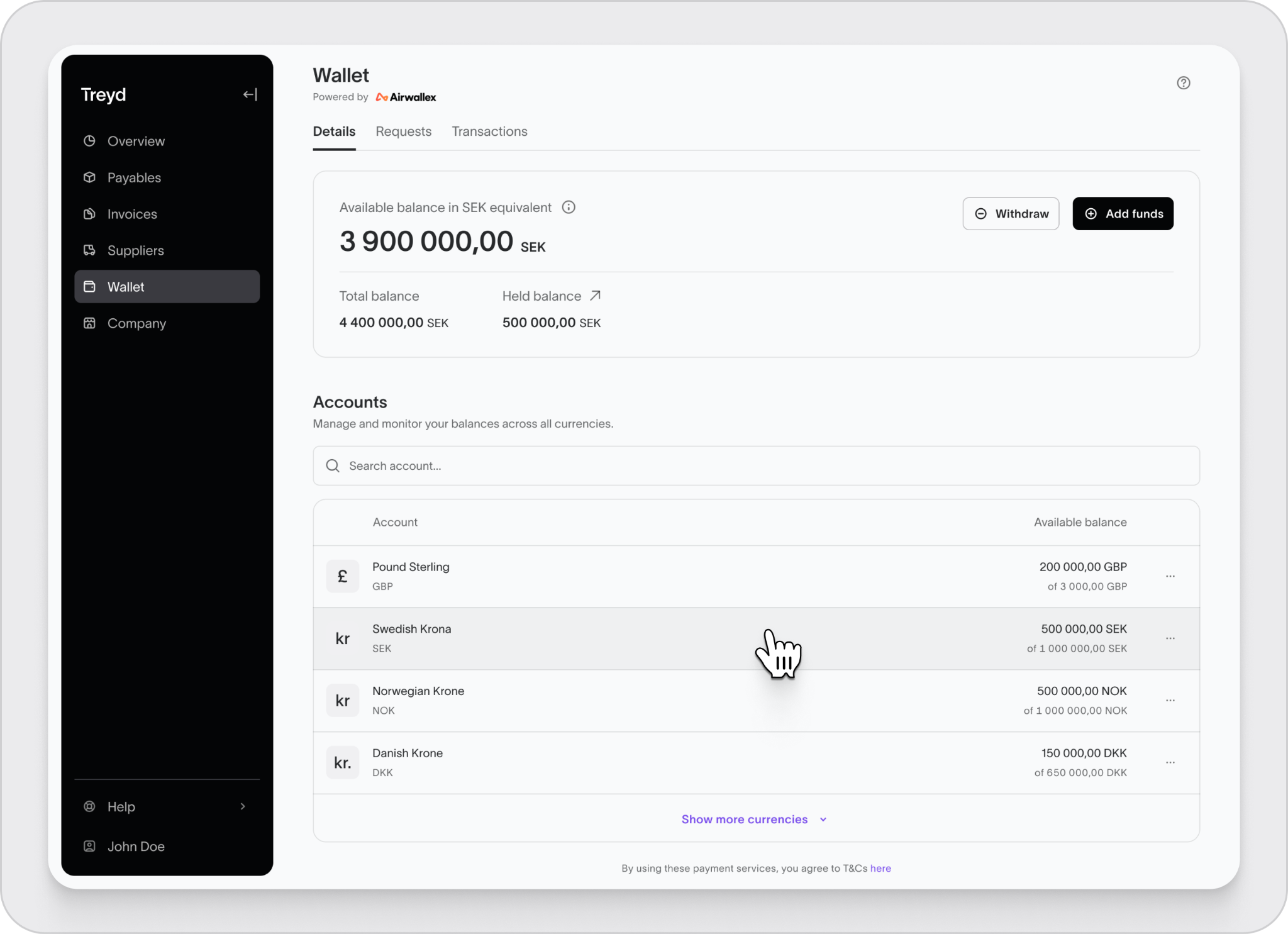
Your wallet can hold multiple currencies at once.
Select the currency you want details for (e.g. USD, SEK, GBP).
3. View account details
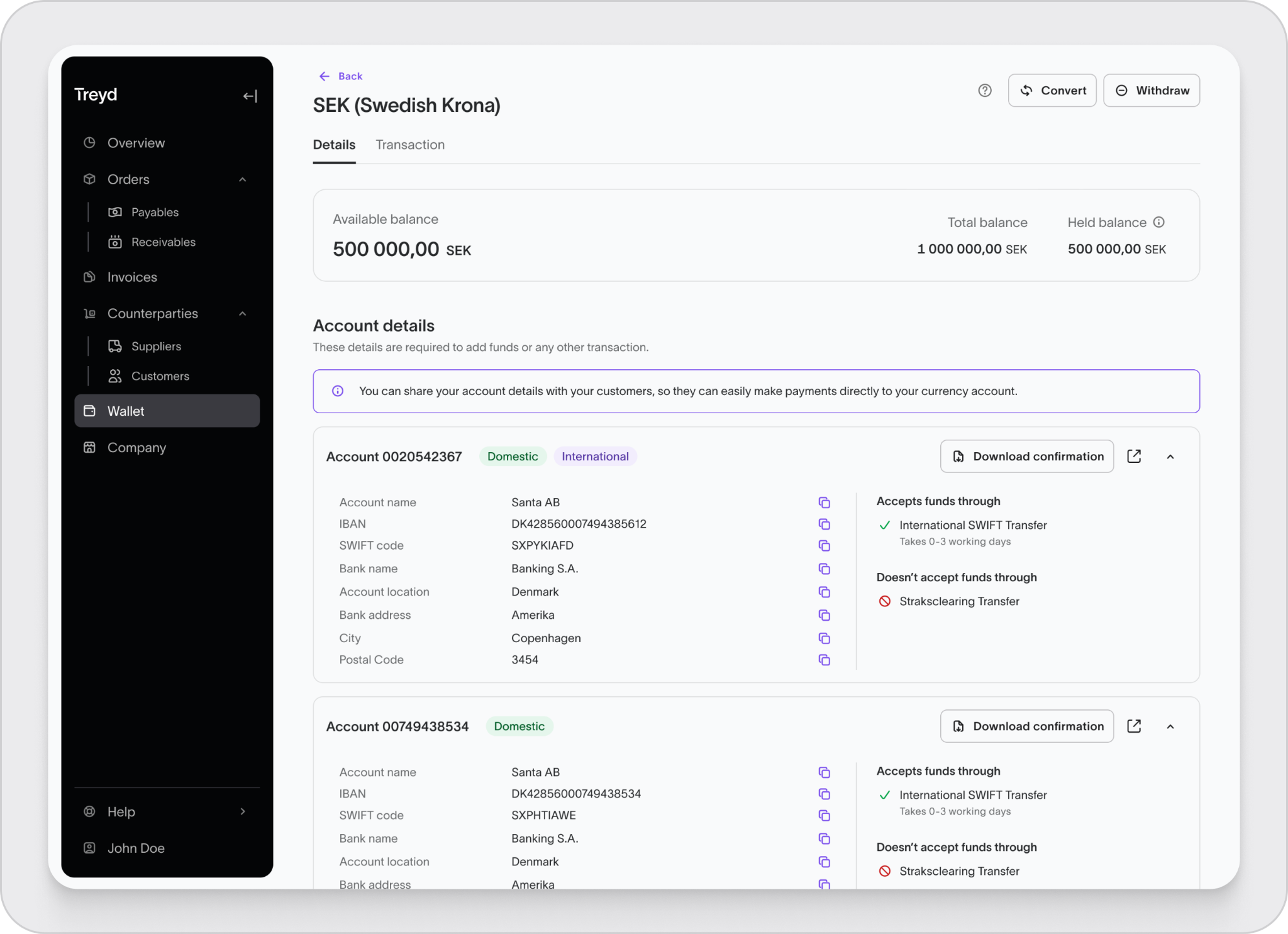
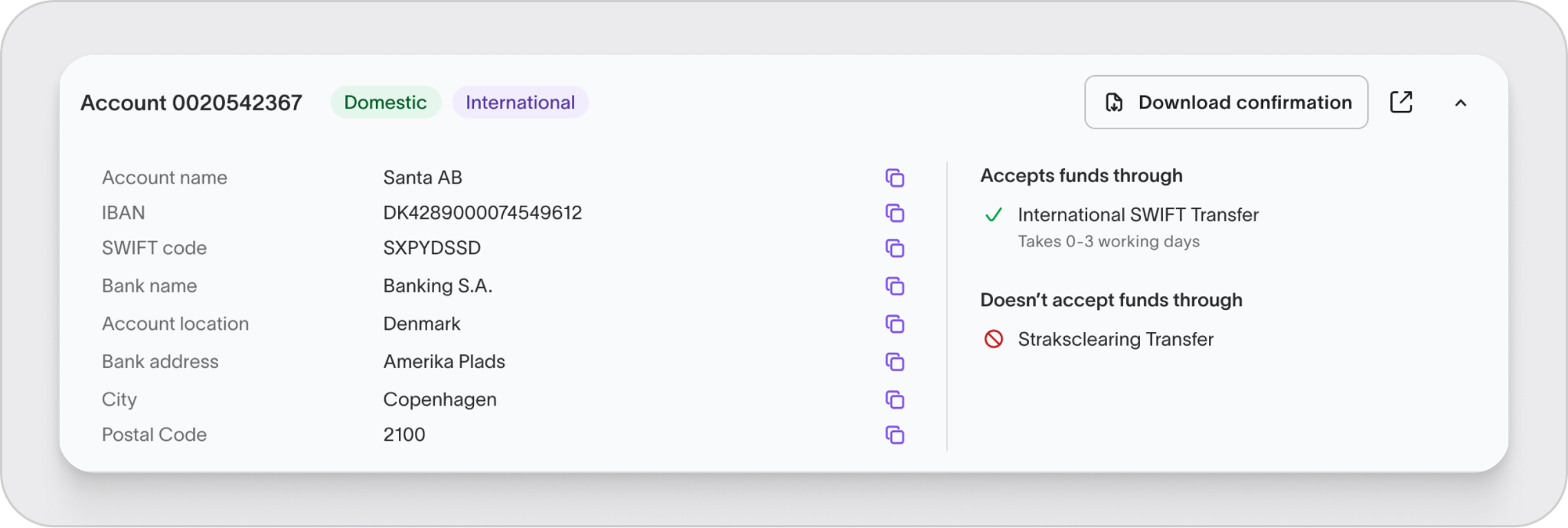
Once inside a currency, you’ll see its dedicated account page. Here you’ll find:
- Bank name
- Bank address
- Account number
- SWIFT code
- Routing numbers (if applicable)
4. Check transfer options
You’ll also see two tabs:
- Domestic – for local transfers
- International – for global transfers
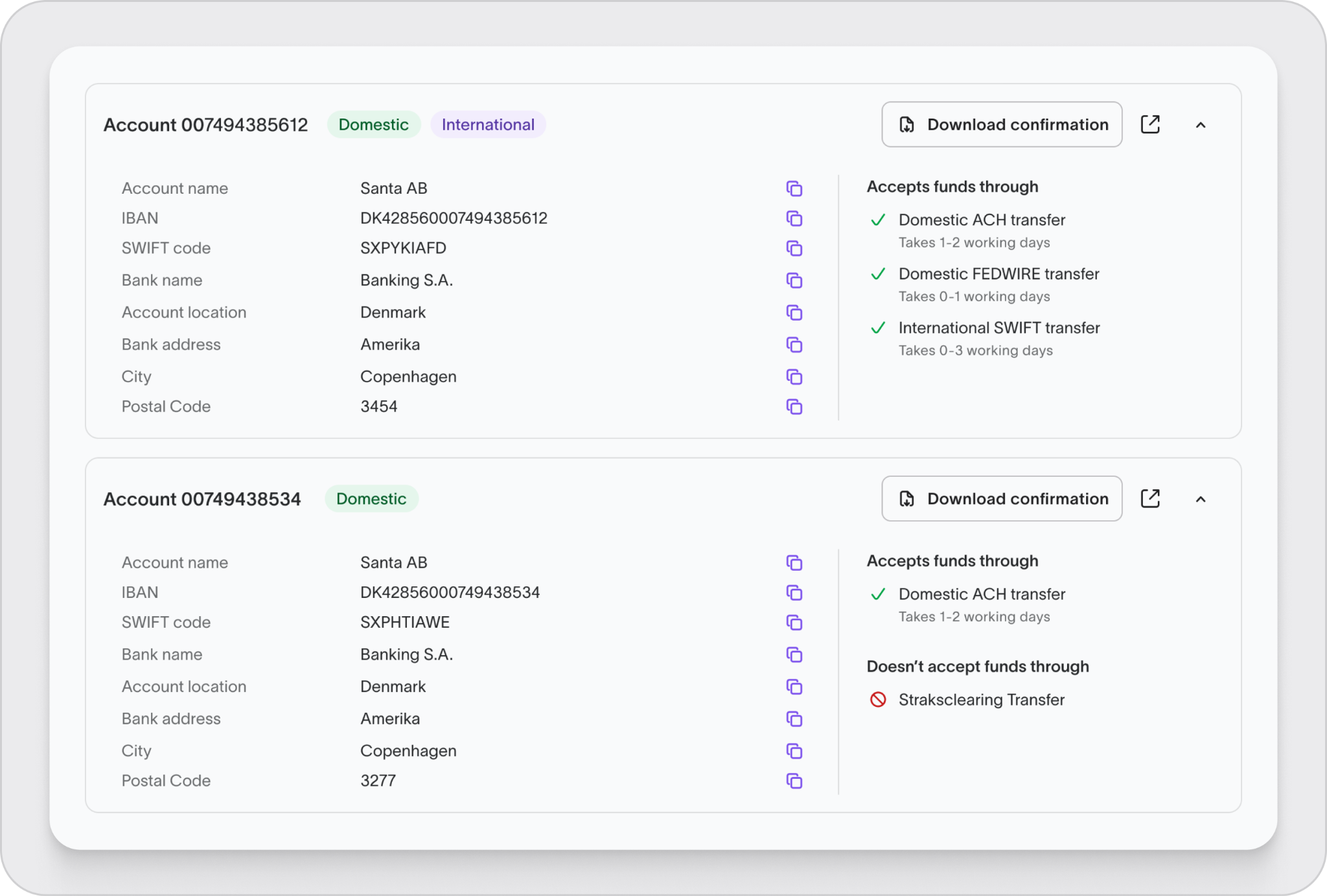
Each tab shows:
- Supported transfer types
- Typical processing times
5. Copy or download details
You can easily use your details when needed:
- Click the copy icon to grab any field instantly
- Click Download confirmation to get a PDF with all details
6. Repeat for other currencies
If you have multiple currency accounts, go back to your wallet overview and select another one.
Each currency has its own unique details, so make sure you’re using the right one for your transfer.
You’re all set—your wallet details are ready whenever you need them.

